

Go to New Games




























Be the first to comment
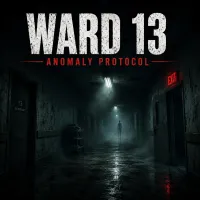
WARD 13 - First Person Anomaly Detection is a first-person observation horror game set inside an empty hospital. Each ward appears familiar: white tiles, medical equipment, fluorescent lights, a clock, and an EXIT sign. Somewhere along the corridor, however, one detail may be wrong. Walk from the entrance to the exit and inspect everything along the way. At the end, decide whether you saw an anomaly or the ward was normal. You need 25 correct reports to be discharged, while a single wrong answer ends the entire run.
The first ward acts as a tutorial and is always normal. Do not rush through it. Use this corridor to memorize the usual positions of lights, doors, signs, equipment, wall decorations, and other objects. Later wards reuse the same basic L-shaped route, but the procedurally generated presentation can make each visit feel different. Knowing the normal layout gives you a reliable reference when something changes.
Follow the Same Inspection Route
Check the ward in a consistent order every time:
A fixed routine makes subtle changes easier to recognize and reduces the chance of overlooking an area.
WARD 13 includes more than 20 possible anomalies. Some are easy to notice, such as blood on the floor, a floating examination table, or a shadow figure on the wall. Others require closer attention. A light may turn red, flicker, or go out. A wheelchair could disappear. A gurney might tip over or move from its normal position. Clock hands can point the wrong way, and the arrow on the EXIT sign may be reversed. You may also encounter an open door leading into darkness, an active patient monitor, an unfamiliar ceiling stain, extra medical equipment, or a “HELP ME” message. Do not report an anomaly simply because the hospital feels unsettling; only choose it when you can identify a real change.
Reaching the exit starts a 15-second decision timer. Use those final seconds to review what you saw, but avoid changing a confident answer because of the pressure. Press Z if something is wrong. Press X if the ward appears normal. A correct report moves you forward, while an incorrect report sends you back to the beginning.
Not every corridor contains an anomaly. The game uses normal wards to test whether you can separate genuine changes from suspicion. If you completed your full inspection and found nothing specific, “all clear” may be the correct answer.
Enter the hospital, memorize its ordinary details, and trust only what you can verify. Play WARD 13 - First Person Anomaly Detection and complete 25 correct assessments to earn your discharge.