

Go to New Games
















Be the first to comment

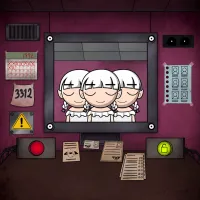
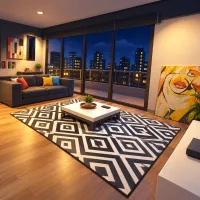
Anomaly Hunt puts you on surveillance duty in a house where the camera feeds become stranger as the night goes on. You play a paranormal investigator, watching for changes and reporting what you find before morning. An empty space on a shelf deserves attention, but so does a figure that was never there before.
Missing belongings, unfamiliar objects, broken equipment, strange figures, and dead bodies can all appear during your shift. Some disturbances are obvious; others depend on remembering how a room looked earlier. Give each camera feed a careful first inspection. Notice the furniture, smaller objects, and equipment so you have something specific to compare against when you return.
Spotting a disturbance is only part of the work in Anomaly Hunt. Open the report menu, select the anomaly type, and identify the room where it appeared. Send the report, then wait for the review result. A correct report removes the anomaly. Before submitting, check that your chosen category describes the change you actually saw and that you have selected the right room.
Press Tab to open the map and use it to navigate between rooms. The number keys from 1 to 5 switch cameras, while E opens the reporting interface. Try checking the cameras in a consistent sequence to reduce the chance of overlooking a room. When something looks suspicious, compare individual details with your earlier observations instead of relying only on a general feeling that the scene has changed.
Your objective is to monitor the house through the night, identify paranormal disturbances, and avoid incorrect reports. The challenge suits players who enjoy visual memory games and the uncertainty of watching familiar spaces become unsettling.
Begin your night shift in Anomaly Hunt and find the first change hiding in the camera feeds.