

Go to New Games






























Be the first to comment

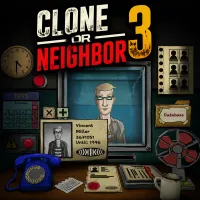
Welcome to Clone or Neighbor 3 - a checkpoint simulation game where your observation skills determine the safety of an apartment building. As the security guard, you must inspect every visitor before granting entry. Although many appear to be ordinary residents, some are dangerous clones using stolen identities and forged information to slip through the checkpoint. Your task is to carefully compare each person's appearance with their identification and verify that every detail matches the resident database.
Every shift requires careful attention to names, ID photos, apartment numbers, and other personal information. Even the smallest inconsistency can reveal an imposter. Some clones imitate real neighbors almost perfectly, while others make subtle mistakes in their documents or provide suspicious answers during questioning. If you have doubts, use the in-game phone to contact the apartment and confirm the visitor's identity before making your decision. Choosing correctly allows genuine residents to enter while preventing dangerous imposters from gaining access. At the end of each day, your results reflect the consequences of every choice, encouraging you to improve your accuracy with every shift. If you enjoy detective games, document inspection, and tense decision-making, Clone or Neighbor 3 offers an engaging challenge that rewards sharp observation and logical thinking.
Today, you begin your shift. The work looks simple, but only at first glance. Your job is to check visitors and keep clones out. Do you need a briefing?
First trainee case. Start with the visitor list. Now open the ID and entry pass. Check the name, surname and apartment. Then, open the resident folder. Compare the apartment record with the person at the door. The visitor's apartment is open. Check the name, surname, apartment and appearance, then open the report form. Sign the report. Decisions are made only after the form is filled out. Next, the resident will show up, press the green button to admit them. Second case, documents may look normal, open the resident folder and compare the face with the apartment record. Click the resident photo in the folder. It is easier to compare the face with the visitor. You will see the appearance does not match the resident record. So, that's mean it's a clone. Do not make a normal denial: open the alarm cover. Call the number of the apartment and ask Roommate or Documents in room. Choose Roommate and you will see the man is not alone. So, open the checklist and choose the information that do not match, click Sign and press the Red button to make the man go away.
Finally, third case, no ID is not proof of a clone yet. Call the apartment and ask about the documents. Choose Documents in room. You will see the document is in the apartment, return to the report and decide. This is a person with a confirmed reason. You may admit to them.
Play now and see if you can identify every clone before it's too late.